Login to Progeny Web.
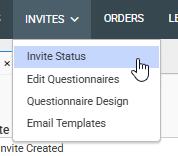
Navigate to the Invites module and choose Invite Status.
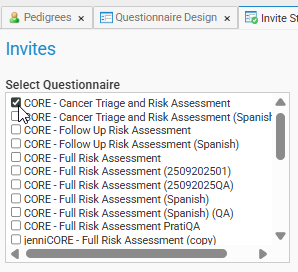
Select the name of questionnaire for which you need to access the invites
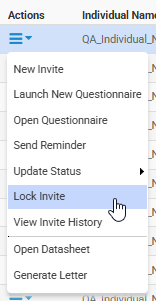
Find the invitation for the patient that needs their questionnaire unlocked, click the Actions menu on the left of that individual and select Unlock Invite.
Similarly to step 4, find the invitation for the patient that needs their questionnaire locked, right-click and select Lock Invite.
View Video: Lock and Unlock Questionnaires
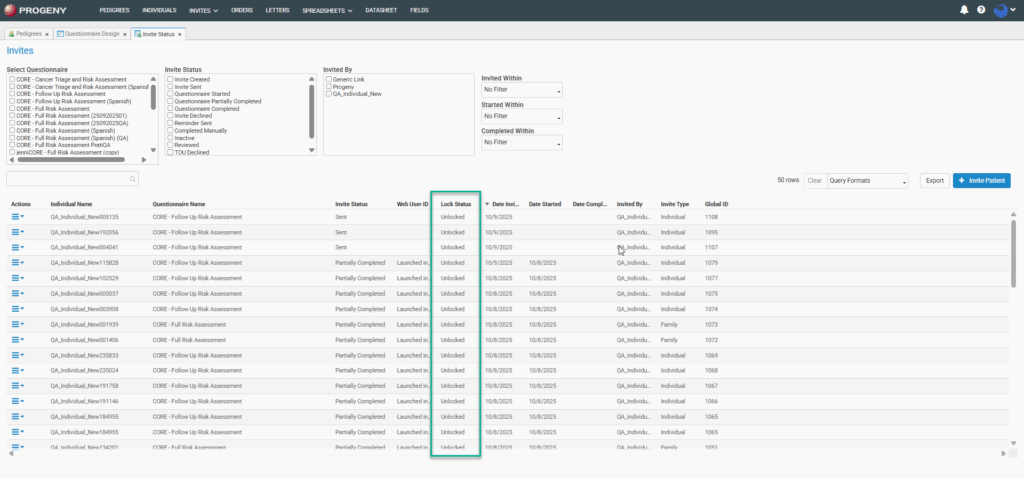
Lock Status can be viewed as a column in the Invites Status module.